Introduction
Building your own gaming PC in 2026 is an exciting venture, especially for the vibrant gaming community in Malaysia. The ability to customize every component allows you to tailor your gaming experience to your specific needs and preferences. Not only can you save money by opting for a DIY build, but you also enjoy the satisfaction of creating a system that outperforms many pre-built options. With Malaysia's growing interest in esports and gaming, now is the perfect time to explore the world of gaming PC builds.
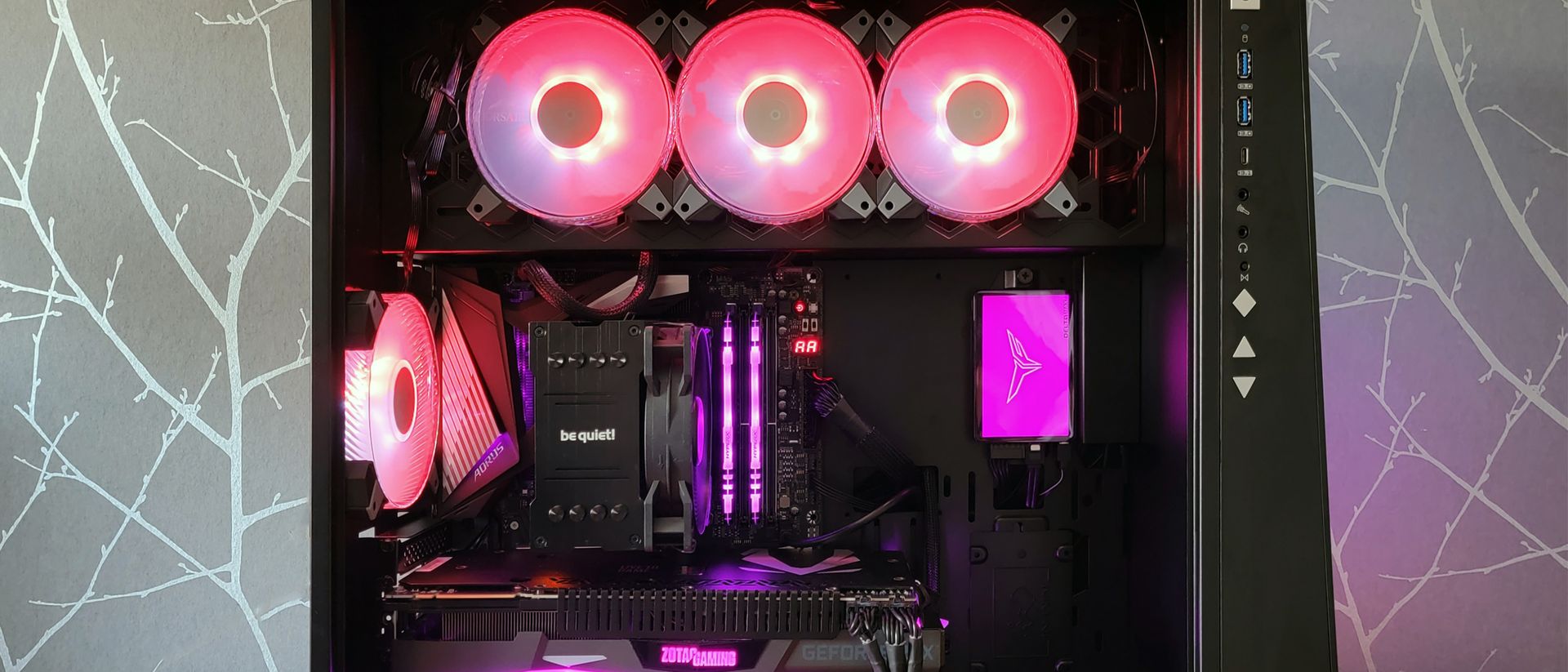
This guide will walk you through the essential components that make up a gaming PC, the assembly process, and tips for optimizing performance. Whether you're a seasoned gamer or a newcomer, this guide aims to empower you to create a machine that meets your gaming aspirations.
Essential Components
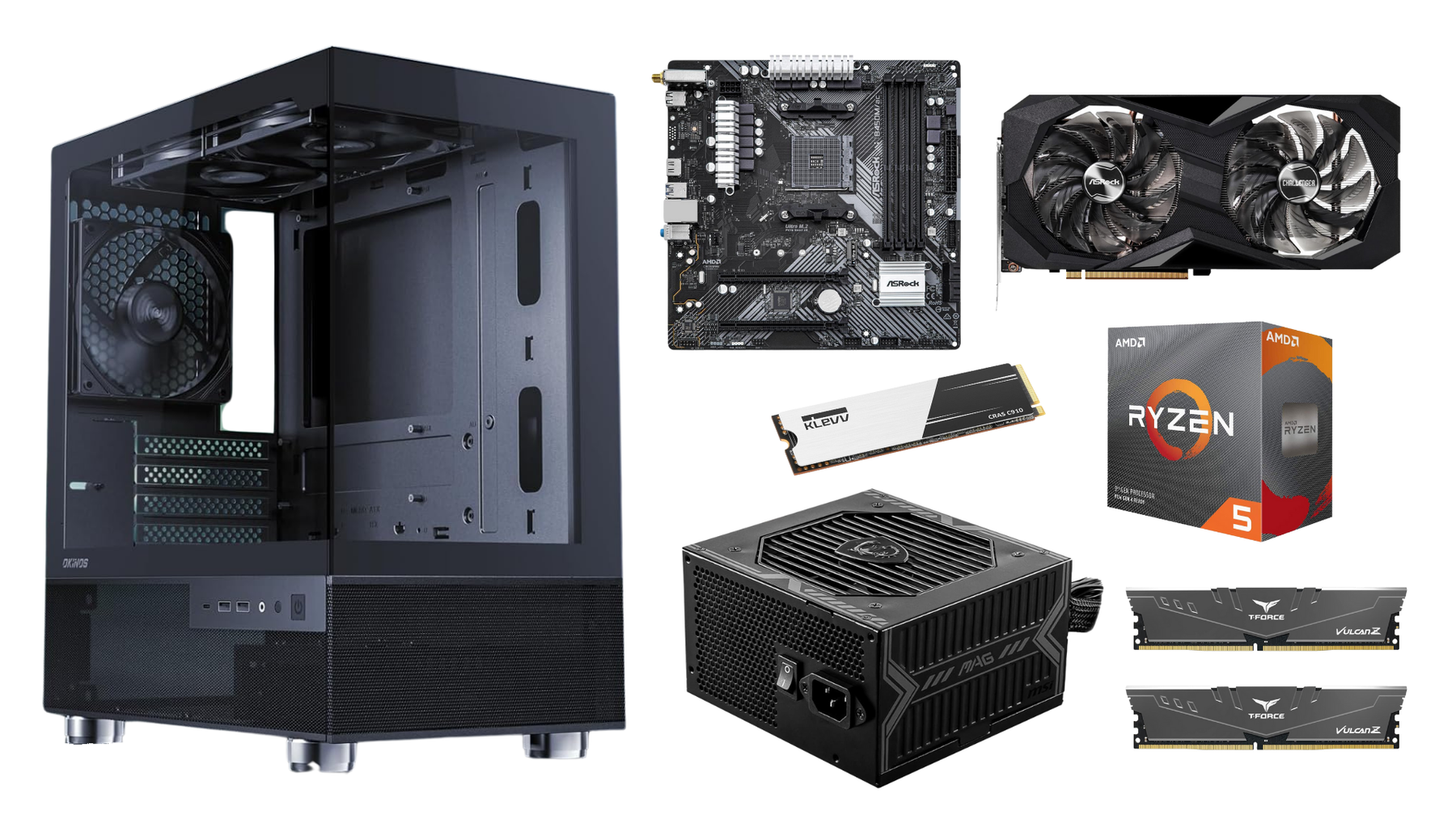
When building a gaming PC, several key components are essential for ensuring optimal performance. Here’s a breakdown of what you will need:
- GPU (Graphics Processing Unit)
- CPU (Central Processing Unit)
- RAM (Random Access Memory)
- SSD (Solid State Drive)
- Motherboard
Each of these components plays a crucial role in your gaming experience, so selecting the right ones is paramount.
Choosing Your GPU
The GPU is arguably the most important component for any gaming PC. It directly affects the visual performance of games, making it a crucial factor for immersive gaming experiences. In 2026, the competition between NVIDIA and AMD has intensified, with both brands offering powerful options for gamers. NVIDIA's GeForce RTX series is renowned for its ray tracing capabilities and superior performance in high-resolution gaming, while AMD's Radeon RX series provides excellent price-to-performance ratios and strong multi-threaded performance.
When selecting a GPU, consider your gaming preferences and whether you plan to play at 1080p, 1440p, or even 4K resolutions. This decision will greatly influence your choice of GPU.
Selecting the Right CPU
Your CPU is the brain of your gaming PC, and it’s essential for handling all the tasks your system performs. In 2026, both Intel and AMD offer a range of CPUs that cater to different gaming needs. Intel's Core i7 and i9 processors are often praised for their single-core performance, making them ideal for CPU-heavy games. On the other hand, AMD's Ryzen 5 and Ryzen 7 processors excel in multi-threaded tasks, providing a great balance for gaming and streaming.
When selecting a CPU, consider how you plan to use your system. If you’re into competitive gaming, a higher clock speed may be more beneficial. However, if you’re streaming or multitasking, a CPU with more cores will serve you better.
Assembly Process
Now that you have your components, it's time to assemble your gaming PC. This process may seem daunting, but with careful preparation and attention to detail, you can do it!
Building Steps
Follow these steps to build your gaming PC:
- Prepare Your Workspace: Choose a clean, static-free surface to work on. Gather all your tools, primarily a screwdriver and anti-static wrist strap.
- Install the CPU: Open the CPU socket on the motherboard, align the CPU correctly, and gently place it in. Secure it as per the motherboard's instructions.
- Add RAM: Locate the RAM slots on the motherboard, open the clips, and insert the RAM sticks in the correct orientation.
- Mount the Motherboard: Place the motherboard in the case and secure it with screws. Make sure to connect the power supply cables.
- Install the GPU: Insert the GPU into the PCIe slot and secure it. Attach any necessary power connectors from the PSU.
- Add Storage: Install your SSD in the designated slot and connect it to the motherboard.
- Finalize the Build: Check all connections, close the case, and connect peripherals like the monitor, keyboard, and mouse.
Once your PC is assembled, it’s time to install the operating system (OS). Use a USB drive with the OS installation media and follow the prompts to set it up.
Performance Optimization
After building your gaming PC, it’s essential to optimize its performance for the best gaming experience. Here are some tips:
- Update Drivers: Ensure all drivers are up to date, especially for your GPU, as this can significantly impact performance.
- Adjust Graphics Settings: Depending on the games you play, consider tweaking the graphics settings to find a balance between visual quality and frame rates.
- Overclocking: If you're comfortable, consider overclocking your CPU and GPU to gain additional performance, but monitor temperatures closely.
Maintenance Tips
To keep your gaming PC running smoothly, regular maintenance is key:
- Dust Cleaning: Regularly clean the interior of your PC to prevent dust buildup, which can cause overheating.
- Software Maintenance: Keep your OS and software updated to benefit from the latest features and security patches.
- Monitor Performance: Use software tools to keep an eye on your system's performance and temperatures to catch any issues early.
FAQ
What do I need to build a gaming PC?
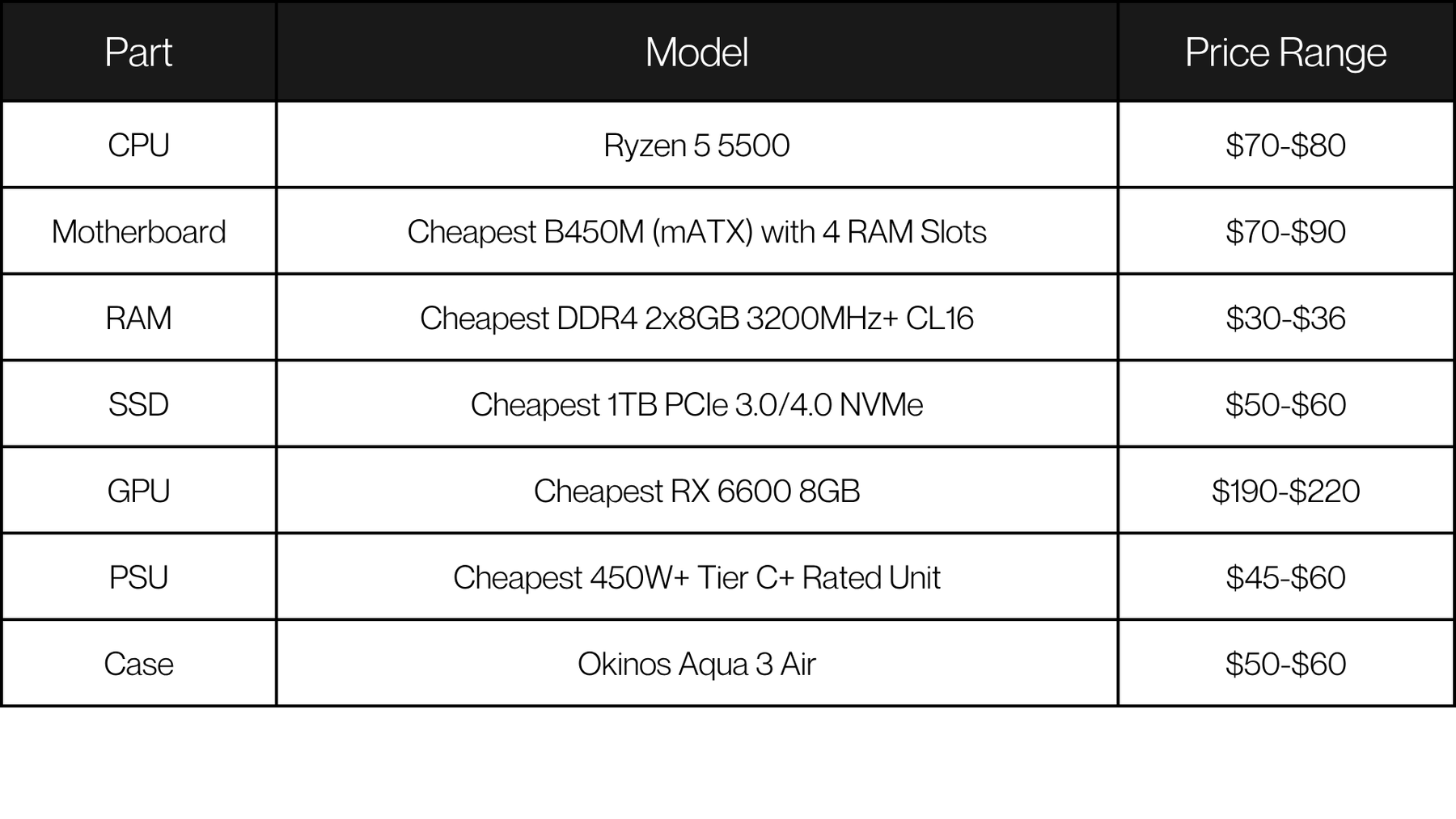
To build a gaming PC, you will need a GPU, CPU, RAM, SSD, and a motherboard, along with a power supply unit (PSU), a case, and cooling solutions. Additionally, you'll need an operating system and peripherals like a monitor, keyboard, and mouse.
How much does it cost to build a gaming PC?
The average cost of building a gaming PC in 2026 is approximately $800. However, prices can vary based on your component choices and preferences. By shopping wisely and taking advantage of local deals in Malaysia, you can maximize your budget.
Building a gaming PC is a rewarding experience that not only saves money but also allows for personalized gaming performance. With the right components and a bit of patience, you can create a powerful machine that enhances your gaming adventures. Happy building!