Top Solutions for Game Crashing on Android in 2026
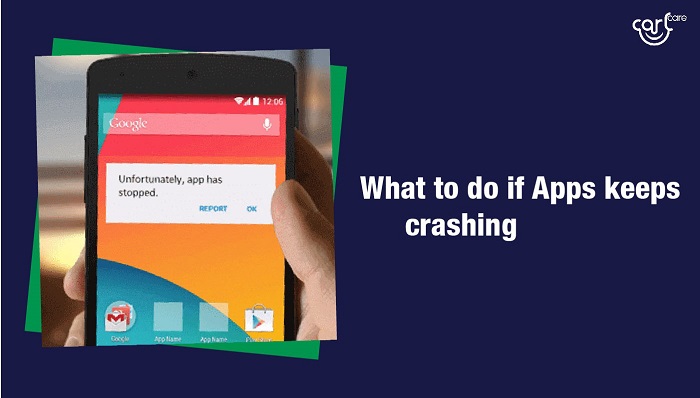
The vibrant Malaysian gaming community has grown tremendously, with Android gaming becoming a popular pastime. However, many gamers face a frustrating issue: game crashing on Android devices. Whether you’re in Kuala Lumpur or Penang, these crashes can interrupt your gaming experience. In this article, we will explore the causes of game crashes, as well as effective solutions and preventative measures to keep your games running smoothly.
Common Causes
Understanding why your games crash is the first step in troubleshooting. Here are some common reasons:
- Software Bugs: Developers continually update games to fix bugs and enhance performance. If you’re playing an outdated version, bugs can lead to crashes.
- Compatibility Issues: Some games are not optimized for all Android devices. If your device's specifications don't meet the game's requirements, crashes may occur.
- Hardware Limitations: Older devices may struggle with newer games due to insufficient processing power or memory.
- Corrupted Game Files: Files can become corrupted during downloads or updates, leading to instability.
- Overheating: Extended gaming sessions can cause your device to overheat, resulting in crashes to protect internal components.
Identifying these causes can help you understand the root of the problem, allowing you to move on to effective solutions.
Quick Fixes
When faced with a game crash, there are several quick fixes you can try before diving into more complex solutions. Here are some steps to take:
- Clear Cache: Clearing the app cache can resolve many crashing issues. Go to Settings > Apps > [Your Game] > Storage > Clear Cache.
- Restart Your Device: Sometimes, a simple restart can refresh your device’s memory and resolve performance issues.
- Close Background Apps: Free up resources by closing other apps running in the background that might be using up RAM.

These quick fixes can often resolve the issue, allowing you to get back to your gaming without significant downtime.
Detailed Troubleshooting
If quick fixes don’t work, it may be time to delve deeper into troubleshooting. Here’s a step-by-step guide:
- Check for Updates: Regular updates improve app stability and performance. Ensure both your game and Android OS are up to date. Go to Google Play Store > My apps & games and check for updates.
- Adjust Graphics Settings: If your game has graphics settings, try lowering them. High settings can strain older devices.
- Reinstall the Game: If all else fails, uninstall the game and then reinstall it from the Google Play Store. This will ensure you have a fresh copy without corrupted files.
- Factory Reset (as a last resort): If games continue to crash despite trying everything else, consider a factory reset. Backup your data first, as this will erase everything on your device.
Preventative Measures
Once you’ve resolved crashing issues, it’s essential to take steps to prevent them from happening again. Here are some best practices:
- Regular App Updates: Always keep your games updated for the latest fixes and improvements.
- Device Maintenance: Regularly clear cache and uninstall apps you no longer use to free up storage.
- Monitor Device Temperature: Avoid extended gaming sessions without breaks, and keep your device in a cool environment.
- Read Game Reviews: Before downloading, check reviews for any known issues related to crashes on specific devices.
Implementing these preventative measures can greatly enhance your gaming experience and reduce the likelihood of future crashes.
User Experiences
Listening to the community can provide valuable insights. Here are a few anecdotes from Malaysian gamers:
Ahmad from Kuala Lumpur: “I experienced frequent crashes in my favorite RPG. After clearing the cache and updating, it runs smoothly now!”
Sarah from Penang: “I thought my phone was too old for gaming, but after lowering the graphics settings, I was surprised at how well some of my games performed.”
Ismail from Johor Bahru: “Uninstalling and reinstalling the app fixed the issue for me. I’ll definitely keep this in mind for future problems!”
These testimonials reflect the experiences of the community and emphasize the importance of troubleshooting and prevention.
FAQs
What causes games to crash on Android?
Games can crash on Android due to various factors, including software bugs, compatibility issues, hardware limitations, and corrupted game files.
How do I fix game crashes on Android?
To fix game crashes, you can try quick fixes like clearing the app cache, restarting your device, or closing background apps. For more persistent issues, check for updates, adjust graphics settings, or reinstall the game.
By understanding the causes and applying the solutions outlined in this article, you can enhance your gaming experience and minimize disruptions. Happy gaming!