Introduction
As the gaming landscape evolves, many players in Malaysia are looking to maximize their experience on Android devices. A key factor in achieving a smooth and enjoyable gaming session is the frames per second (FPS). Higher FPS can significantly enhance gameplay, leading to better responsiveness and an overall immersive experience. In this article, we'll explore the best settings for high FPS on Android devices in 2026, helping you unlock your device's full potential.
Understanding FPS
FPS, or frames per second, is a measure of how many individual frames are displayed by your device each second. In gaming, higher FPS means smoother animations, more fluid movements, and a better overall experience. For competitive gamers, achieving 60 FPS or higher is often essential to success, as even slight delays can affect performance.
However, there are common misconceptions about FPS. Some players believe that a higher resolution always leads to better gameplay, but this isn't necessarily true. While a higher resolution can enhance visuals, it can also demand more from your device's hardware, potentially lowering FPS. Understanding the balance between resolution and FPS is crucial for optimizing your gaming setup.
Best Settings
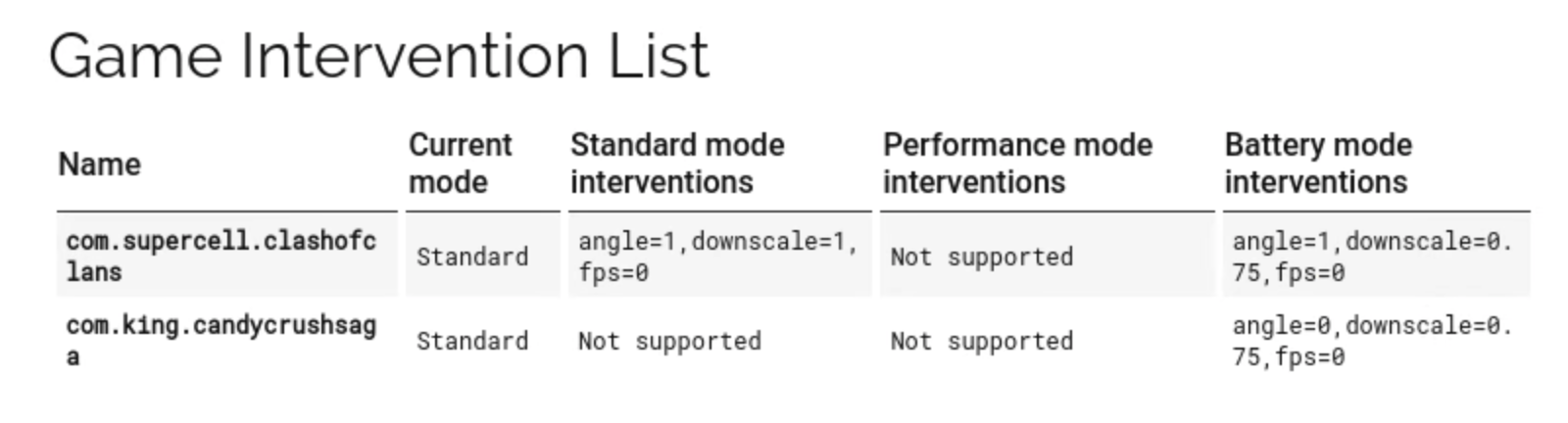
To optimize your gaming performance on Android devices, adjusting a few settings can make a significant difference. Here are the recommended settings for achieving high FPS:
- Graphics Settings: Lowering the graphic settings in games can significantly boost FPS. Options like texture quality, shadows, and anti-aliasing should be set to low or medium.
- Resolution: Opt for a lower resolution for better performance. While 1080p might look great, reducing it to 720p can yield better FPS without a huge loss in visual fidelity.
- Refresh Rate: If your device supports it, set the refresh rate to the highest available option. A 90Hz or 120Hz refresh rate can provide a smoother experience.
- V-Sync: Disable V-Sync to eliminate input lag. While it can help prevent screen tearing, it can also limit FPS to the refresh rate of your display.
- Frame Rate Cap: If the game allows, set the frame rate cap to an appropriate level that your device can handle without overheating or lagging.
Device-Specific Recommendations
Different Android devices have unique characteristics that can affect gaming performance. Here are tailored settings for popular brands:
- Samsung: Use Game Launcher to optimize performance. Set graphics to low and enable the "Game Booster" feature, which prioritizes performance over battery life.
- Xiaomi: Activate "Game Turbo" in settings. Lower the resolution and turn off background apps for a smoother experience.
- OnePlus: Adjust settings in the "Gaming Mode" to prioritize performance. Opt for medium graphics and use the "Fnatic Mode" for an enhanced gaming experience.
- ASUS: Utilize the "Armoury Crate" to manage performance settings. Lower graphic settings and increase refresh rate for a competitive edge.
- Google Pixel: Disable battery optimization for games. Set graphics to low and refresh rate to the highest setting available for fluid gameplay.
Recommended Apps
In addition to adjusting settings, several apps can help boost FPS on your Android device:
- Game Booster: This app optimizes your device's resources by closing background apps and freeing up RAM, resulting in increased FPS.
- GFX Tool: A popular choice among gamers, this app allows you to customize graphics settings for specific games, improving FPS and overall performance.
- Game Guardian: While primarily a game modification tool, it can also help in tweaking game settings to achieve better FPS.
- CCleaner: This app helps clean up unnecessary files and optimize your device's performance by managing storage efficiently.
Conclusion
Optimizing your Android device for gaming in 2026 is essential for an enjoyable experience. By understanding FPS and making the right adjustments to your settings, you can significantly improve your gameplay. Remember to consider your specific device and explore various apps that can enhance performance. With the right settings and tools, you'll be well on your way to enjoying high FPS gaming on your Android device!