Introduction
In the vibrant gaming community of Malaysia, game codes have become a vital part of the digital content ecosystem. These codes unlock a world of new experiences, from exclusive in-game items to full game downloads. As the gaming landscape evolves, understanding the best practices for redeeming game codes in 2026 can significantly enhance your gaming experience. Whether you're a casual gamer or a seasoned pro, knowing how to effectively redeem these codes is essential.

Step-by-Step Guide to Redeeming Game Codes
Redeeming game codes can vary across platforms, but the process generally follows some basic steps. Here’s a comprehensive guide to help you navigate through the redemption process on major gaming platforms.
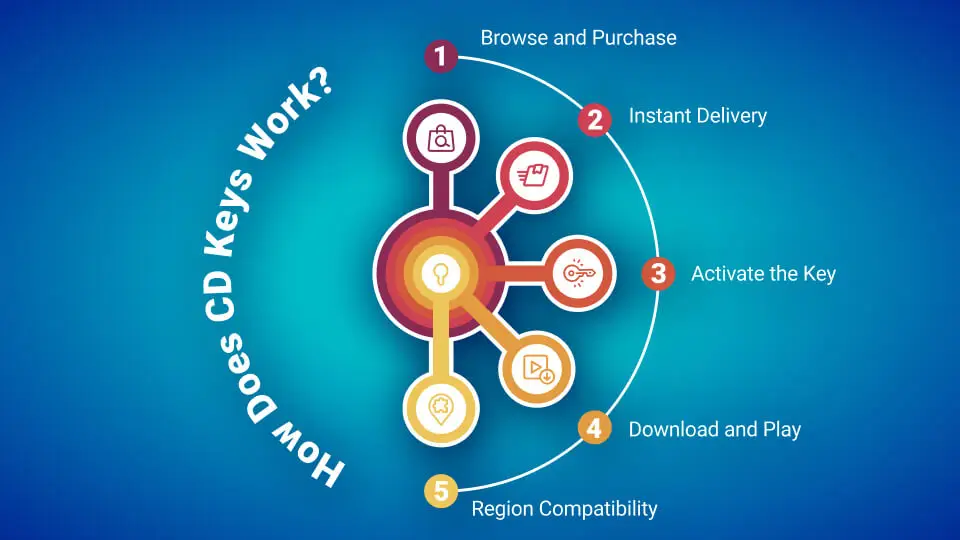
Redeeming on PlayStation
For PlayStation users, redeeming game codes is straightforward. Here’s how you can do it:
- Navigate to the PlayStation Store from your console or web browser.
- Scroll down to the “Redeem Codes” option, usually found in the menu.
- Enter your code carefully, ensuring there are no typos.
- Click “Continue” and confirm your redemption.
Tip: Always check the region of your code as PlayStation codes can be region-locked. Ensure your account matches the code's region.
Redeeming on Xbox
Xbox users might find the process slightly different, but it's equally simple:
- Open the Xbox dashboard and go to the “Store.”
- Select “Use a Code” from the menu.
- Type in your code and select “Next” to process it.
- Follow the prompts to complete the redemption.
Tip: Xbox codes can also be region-locked, so be sure to verify the code's compatibility with your account.
Redeeming on Steam
Steam, one of the most popular PC gaming platforms, offers a seamless redemption process:
- Open the Steam client or go to the Steam website.
- Click on “Games” in the top menu, then select “Activate a Product on Steam.”
- Follow the prompts and input your game code.
- Once activated, the game will appear in your library.
Tip: Keep an eye on the expiration date of your Steam codes, as they can expire if not redeemed promptly.
Redeeming on Epic Games Store
For those using the Epic Games Store, the redemption steps are as follows:
- Launch the Epic Games Launcher or visit the Epic Games website.
- Click on your profile icon and select “Redeem Code.”
- Enter your code and hit “Redeem.”
- Your game will be added to your library immediately.
Tip: Make sure your Epic account region aligns with the code to avoid issues during redemption.
Troubleshooting Common Issues
Even with clear instructions, gamers may encounter issues while redeeming codes. Here are some common problems and how to resolve them:
- Invalid Code: Double-check for typos. Ensure there are no extra spaces before or after your code.
- Region Lock: If you receive an error about the code not being valid in your region, verify the region settings on your account.
- Expired Codes: Always check if the code is still valid. Some codes have specific expiration dates.
- Account Issues: Ensure your account is in good standing. Sometimes, restrictions on your account may prevent code redemption.
Tips for Successful Redemption
To ensure a smooth and successful redemption process, consider these best practices:
- Keep Codes Secure: Store your codes in a safe place until you're ready to redeem them.
- Check Expiration Dates: Be aware of the expiration of your codes to avoid disappointment.
- Verify Region Compatibility: Always confirm that your game codes are compatible with your account's region settings.
- Stay Updated: Platforms often update their interfaces and processes, so keep an eye on any announcements from PlayStation, Xbox, Steam, and Epic Games Store.
FAQs
What are game codes?
Game codes are unique alphanumeric strings that you can redeem on various gaming platforms to unlock digital content, such as full games, downloadable content (DLC), or in-game items. They are often provided as part of promotions, purchases, or giveaways.
Can game codes expire?
Yes, game codes can expire after a set period, depending on the issuing platform or promotion. It's crucial to redeem your codes as soon as possible to avoid losing access to your digital content.
By following these best practices for redeeming game codes in 2026, you can enhance your gaming experience and ensure that you make the most of your purchases. Happy gaming!