Introduction
In 2026, modding has become a vital part of the gaming experience, especially among the Malaysian gaming community. While mods can enhance gameplay, allowing players to add new features, characters, or even fix bugs, they can also lead to frustrating game crashes. In fact, over 60% of gamers report experiencing crashes after installing mods, making it crucial to understand the underlying causes and effective fixes.
This article delves into the common reasons behind these crashes, offers step-by-step troubleshooting solutions, and shares user experiences from fellow gamers in Malaysia. By the end, you'll be equipped to tackle these issues and enjoy your modded games without interruptions.
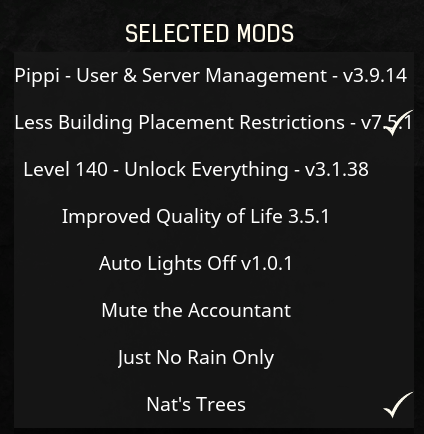
Common Causes of Game Crashes
Understanding why your game crashes after mod installation is the first step toward finding a solution. Here are some common culprits:
- Incompatibility: Mods may not always be compatible with the game version or with each other. This is especially true for games that receive frequent updates, as mods can lag behind.
- Corrupted Files: Downloading mods from unreliable sources can lead to corrupted files, which can cause your game to crash upon launch or during play.
- Hardware Limitations: Some mods are resource-intensive. If your system doesn't meet the necessary hardware requirements, it can lead to instability and crashes.
- Conflicting Mods: Installing multiple mods that alter the same game elements can create conflicts, resulting in crashes.
- Improper Installation: If mods are not installed following the correct procedure, they may not function as intended, leading to crashes.
Step-by-Step Fixes
If you're facing crashes after installing mods, follow these step-by-step troubleshooting tips:
- Remove Recent Mods: Start by uninstalling the most recent mods you've added. Launch the game to see if it runs smoothly.
- Verify Game Files: For games purchased through platforms like Steam or Epic Games, use the built-in verification tools to check for corrupted files. This can often resolve issues caused by faulty installations.
- Consult Modding Communities: Visit local gaming forums or modding communities to seek advice. Gamers often share their experiences and fixes, which can be incredibly helpful.
- Update Mods: Ensure that all your mods are updated to the latest version. Developers frequently release patches that improve compatibility and performance.
- Check Game Requirements: Review the system requirements of the mods you are using. If your hardware is below the recommended specifications, consider upgrading or removing the mods.
- Clean Installation: As a last resort, uninstall the game completely and reinstall it. This can help reset any corrupted files or settings that might be causing the crashes.
User Experiences
Local gamers in Malaysia and Southeast Asia have faced their fair share of mod-related crashes. Many have shared their stories on gaming forums, shedding light on effective solutions. For instance, a popular user on a prominent Malaysian gaming forum recounted how removing conflicting mods resolved their game's crashing issue. Another player mentioned that they found significant success by simply updating their mods regularly and ensuring they were sourced from reputable sites.
In addition, modding communities often provide a wealth of knowledge. Gamers frequently share their experiences with different mods, noting which ones tend to cause crashes and which ones are stable. Engaging with these communities can provide insights that save you time and frustration.
FAQs
Here are some frequently asked questions regarding game crashes after installing mods:
What should I do if my game crashes after mods?
If your game crashes after installing mods, begin by uninstalling the most recent mods. Verify your game files through Steam or Epic Games, and check for any updates to your mods. If the issue persists, consult gaming forums or modding communities for additional troubleshooting advice.
Are all mods safe to install?
Not all mods are created equal. While many mods come from reputable sources and have been tested by the community, others may contain corrupted files or malware. Always download mods from trusted websites and check user feedback to ensure their safety before installation.
Conclusion
Tackling game crashes after installing mods in 2026 may seem daunting, but with the right knowledge and approach, you can enjoy a smoother gaming experience. By understanding the common causes and utilizing effective troubleshooting methods, you can minimize disruptions and make the most of your modded games. Engage with local gaming forums and modding communities to stay updated on the latest fixes and best practices, ensuring your gaming adventures remain enjoyable and crash-free.