What is Game Mode?
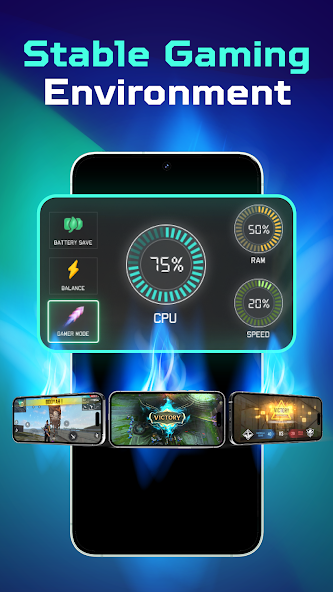
Game Mode is a powerful feature integrated into modern Android devices, specifically designed to enhance the gaming experience. This mode optimizes your device's performance by prioritizing resources for gaming applications while limiting background activity. For Malaysian gamers who enjoy a variety of mobile games, Game Mode serves as a crucial tool to boost FPS (frames per second) and provide a smoother, lag-free gaming experience.
How to Use Game Mode
Activating Game Mode varies slightly depending on the Android device you are using. Here’s a step-by-step guide for some popular brands in Malaysia:
- Samsung Devices:
- Open the Settings app.
- Tap on Advanced features.
- Select Game Mode.
- Toggle the Game Mode switch to activate it.
- Xiaomi Devices:
- Go to the Settings app.
- Scroll down to Additional settings.
- Tap on Game Turbo.
- Enable Game Turbo and customize your preferences.
- OnePlus Devices:
- Launch the Settings app.
- Select Utilities.
- Tap on Gaming Mode.
- Turn on the Gaming Mode feature.
After enabling Game Mode, you can customize it further by adding specific games to the mode for optimized performance.

Benefits of Game Mode
Utilizing Game Mode comes with several advantages, particularly for gamers looking to enhance their performance. Here are some of the key benefits:
- FPS Improvements: Game Mode can increase FPS by up to 30%, which translates to smoother gameplay and more responsive controls.
- Reduced Lag: By limiting background app activity, Game Mode ensures that your device’s resources are dedicated to the game you are playing, significantly reducing lag.
- Enhanced Gaming Experience: With features like Do Not Disturb, notifications are silenced, allowing for uninterrupted gaming sessions.
Troubleshooting Game Mode
While Game Mode is designed to enhance performance, some users may encounter issues. Here are common problems and their solutions:
- Game Mode not activating: Ensure that your device’s software is up-to-date. Sometimes, a simple restart can resolve activation issues.
- Performance not improving: Check if other apps are running in the background. Close unnecessary applications to free up resources.
- Incompatible games: Not all games may be optimized for Game Mode. Try adjusting your settings or checking for updates to the games you play.
Game Mode Features
Game Mode isn't just about improving performance; it also comes packed with features that allow for customization. You can:
- Set specific settings for each game, such as FPS limits and graphic quality.
- Enable or disable notifications for uninterrupted gameplay.
- Record gameplay sessions or take screenshots with ease.
FPS Improvements
One of the primary reasons gamers in Malaysia seek out Game Mode is its ability to boost FPS significantly. With the right settings, you can experience frame rates that enhance not only your gaming experience but also your competitive edge in multiplayer scenarios. The optimization of CPU and GPU resources can lead to a remarkable improvement, making it easier to enjoy graphics-intensive games without lag.
Device Compatibility
Most modern Android devices support Game Mode, making this feature widely accessible. Here’s a look at some popular brands and models:
- Samsung: Galaxy S series, Galaxy A series, and Galaxy Note series.
- Xiaomi: Mi series and Redmi series.
- OnePlus: OnePlus 7, 8, and 9 series.
- ASUS: ROG Phone series for dedicated gaming performance.
Check your device's specifications to confirm if Game Mode is supported, as it is a standard feature in most devices released in 2026.
FAQ
What is Game Mode on Android?
Game Mode on Android is a feature that prioritizes gaming applications by optimizing device performance, reducing background activity, and providing tools for a better gaming experience.
Does Game Mode really improve FPS?
Yes! Activating Game Mode can lead to FPS improvements by up to 30%, providing smoother gameplay and reducing lag.
In the dynamic gaming landscape of 2026, utilizing Game Mode can make a significant difference in your mobile gaming experience. Whether you are a casual player or a serious gamer in Malaysia, knowing how to use Game Mode effectively can enhance your gameplay, making it more enjoyable and competitive.