Top 5 Ways to Fix Game Crashes on Low-End PCs
For many gamers in Malaysia, the pursuit of gaming excellence can be hindered by the limitations of low-end PCs. Game crashes can be particularly frustrating, ruining the immersive experiences we seek. Fortunately, there are effective ways to address these issues without breaking the bank. In this article, we’ll explore the top five methods to fix game crashes on low-end PCs, ensuring you can enjoy your favorite titles smoothly.
Common Reasons for Game Crashes
Understanding why games crash on low-end PCs is the first step in resolving these frustrating issues. Here are some common culprits:
- Insufficient Hardware: Many low-end PCs come equipped with limited RAM and outdated CPUs. This can lead to instability, especially when running graphics-intensive titles.
- Software Conflicts: Background applications can interfere with gaming performance. Running too many programs simultaneously can consume valuable system resources.
- Overheating: Low-end systems often struggle with heat dissipation. Overheating can cause the CPU or GPU to throttle down, leading to crashes.
Recognizing these factors is essential as you work towards a smoother gaming experience. Notice how addressing these issues can significantly improve your game stability.
Optimizing Game Settings
One of the most effective ways to manage game crashes on a low-end PC is by adjusting in-game settings. Here are some tips to optimize your gaming experience:
- Lower Graphics Settings: Reducing the graphics quality can significantly enhance performance. Set textures, shadows, and effects to low or medium.
- Disable V-Sync: Turning off vertical synchronization can help increase frame rates, which is particularly useful for older games.
- Adjust Resolution: Lowering your screen resolution can relieve pressure on your GPU. A resolution of 720p might be more manageable than 1080p.

By following these optimization tips, you can create a gaming environment that’s more forgiving for low-end hardware. The impact of these adjustments can be profound, transforming your gaming experience.
Updating Drivers
Keeping your drivers updated is crucial for maintaining stability and performance in gaming. Graphics drivers, in particular, play a vital role.
- NVIDIA and AMD: If your PC uses an NVIDIA or AMD graphics card, regularly check for driver updates. Manufacturers frequently release patches that enhance game compatibility and performance.
- Intel Integrated Graphics: For those using Intel’s integrated graphics, updating your drivers can also yield significant improvements in stability and performance for low-end PCs.
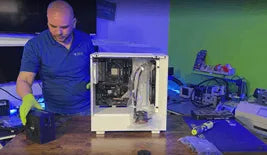
Updating your graphics driver can significantly reduce game crashes. Make it a habit to check for updates periodically, as this simple action can lead to a more stable gaming experience.
Checking System Requirements
Before diving into a new game, it's essential to check if your low-end PC can handle it. Here’s how to do it:
- Visit Game Store Pages: Websites like Steam or the Epic Games Store list minimum and recommended system requirements for each game. Compare these with your PC’s specifications.
- Use Benchmark Tools: Tools like UserBenchmark can help you assess your system’s performance relative to the demands of a particular game.
- Look for Alternative Titles: Many older games or indie titles are designed to run smoothly on lower-end hardware. These can provide a great gaming experience without the risk of crashes.
By ensuring that your PC meets the necessary requirements, you can avoid unnecessary crashes and optimize your gaming experience.
Troubleshooting Tips
If you still experience crashes after implementing the above strategies, here’s a quick troubleshooting checklist to follow:
- Close unnecessary background applications before launching your game.
- Run the game as an administrator to avoid permission issues.
- Check for any recent Windows updates that may need to be installed.
- Verify the integrity of the game files through your game platform (like Steam).
- Consider a clean installation of the game if crashes persist.
These troubleshooting steps can often identify and resolve underlying issues that contribute to game crashes. Remember, the gaming community is here to help; don't hesitate to seek assistance from forums and online communities.
FAQ
What can cause games to crash?
Several factors can lead to game crashes, including insufficient hardware resources, software conflicts, outdated drivers, and overheating. Identifying these issues is crucial to fixing the problem.
How do I improve performance on a low-end PC?
Improving performance on a low-end PC can be achieved by optimizing game settings, updating drivers, checking system requirements, and following troubleshooting tips to enhance overall stability.
By exploring these methods, Malaysian gamers can significantly reduce game crashes and enhance their gaming experience. Remember, gaming is about enjoyment—don't let hardware limitations hold you back. Embrace these strategies, and you’ll be gaming smoothly in no time!