Understanding FPS
Frames Per Second (FPS) is a crucial metric in mobile gaming that determines the smoothness and fluidity of gameplay. Essentially, it measures how many unique consecutive images (or frames) your device can render in one second. A higher FPS, typically 60 or more, offers a more immersive experience, allowing players to react quickly and smoothly to in-game actions, especially in fast-paced titles like Mobile Legends or Call of Duty: Mobile.
In 2026, as the mobile gaming industry continues to evolve, understanding FPS has become more important than ever. Many gamers in Malaysia are seeking ways to enhance their gaming experience, making FPS optimization a focal point for better performance.
Settings to Adjust
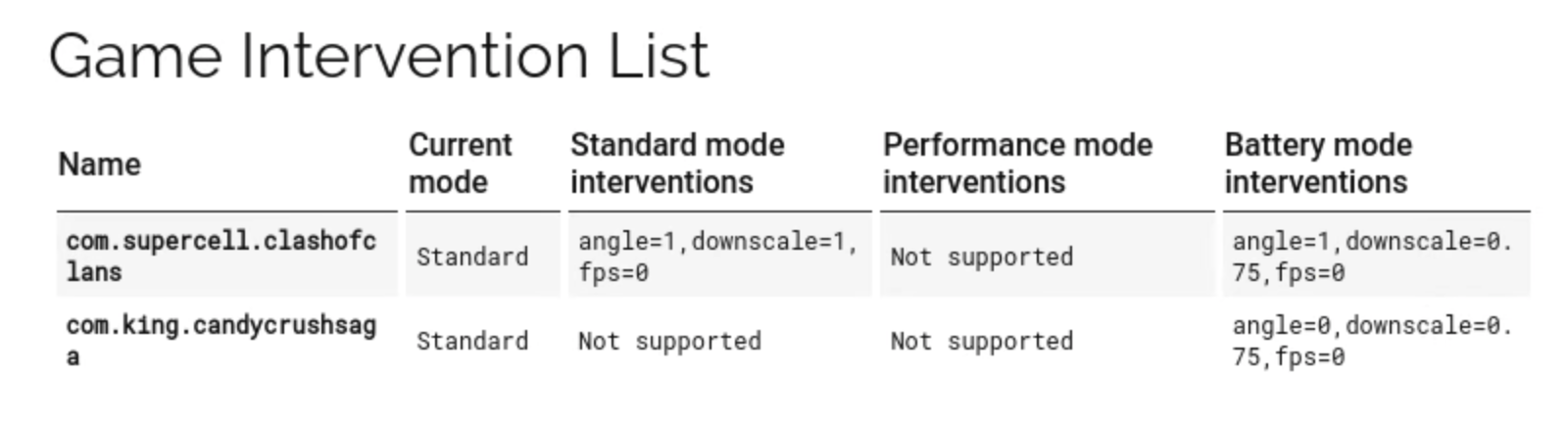
To increase FPS in mobile games, adjusting specific settings can lead to significant improvements. Here are some key areas to focus on:
- Graphics Settings: Lowering the graphics quality can enhance FPS. Many games offer options to adjust settings like texture quality, shadows, and anti-aliasing. Opting for lower settings can yield a 20-30% performance increase.
- Resolution: Reducing the resolution at which the game runs can also help. Higher resolutions demand more processing power, which can cause lag and low FPS.
- Frame Rate Cap: Some games allow you to set a frame rate cap. Setting it to a lower limit can stabilize performance, especially on mid-range devices.
- Battery Saver Mode: While this mode is designed to prolong battery life, it can throttle performance. Turn it off while gaming for better FPS.
By fine-tuning these settings, Malaysian gamers can enjoy a smoother and more responsive gameplay experience, reducing frustrations during intense gaming sessions.
Common Issues
Low FPS can stem from a variety of issues. Here are some common problems and troubleshooting tips:
- Background Apps: Running multiple applications can consume system resources, leading to lower FPS. Closing unnecessary apps can free up memory and processing power.
- Overheating: Mobile devices can throttle performance to prevent overheating. Ensure your device is adequately ventilated and avoid playing graphics-heavy games in hot environments.
- Outdated Software: Ensure your operating system and games are updated. Developers regularly release patches to optimize performance and fix bugs.
- Insufficient Storage: A device low on storage can lead to performance issues. Regularly clear cache and uninstall unused apps to create more space.

By recognizing and addressing these common issues, you can significantly improve your gaming performance, ensuring that your FPS remains high even during intense gaming sessions.
Apps for Optimization
The Malaysian gaming community has access to various optimization apps that claim to boost FPS on mobile devices. While results may vary, here are some popular options:
- Game Booster: This app optimizes your device by managing RAM and CPU usage. It automatically closes background applications and can increase FPS in demanding games.
- CCleaner: Primarily known as a cleaning app, CCleaner can help free up storage space and clear cache, indirectly enhancing performance and FPS during gaming.
- GFX Tool: For games that allow graphics adjustments, GFX Tool is a great option. It allows gamers to customize resolution, FPS, and other graphical settings for better performance.
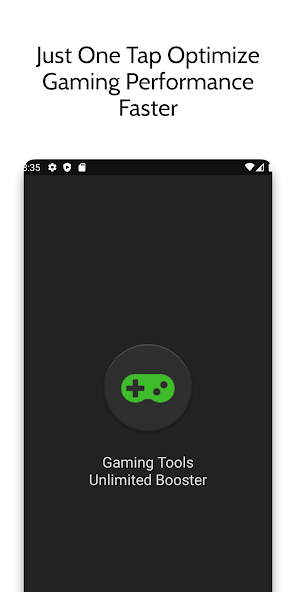
While using these apps, it's essential to monitor your device's performance, as some may not yield the expected results. Nonetheless, they can be valuable tools for many gamers looking to enhance their mobile gaming experience.
Hardware Considerations
Ultimately, the hardware specifications of your mobile device play a vital role in determining FPS. Older devices may struggle with demanding games, leading to lower performance. Here are some hardware considerations:
- Processor: A more powerful CPU ensures better performance in graphics-intensive games. If you're a serious gamer, consider upgrading to a device with a high-performance processor.
- RAM: The amount of RAM directly impacts your device's ability to manage multiple tasks. Devices with 6GB or more RAM tend to perform better in gaming.
- Graphics Processing Unit (GPU): A dedicated GPU can significantly improve FPS in games. If you’re looking to upgrade, choose a device with a reputable GPU for optimal gaming performance.
For Malaysian gamers, investing in a device with these specifications can be beneficial in the long run, ensuring a smoother gaming experience and higher FPS in mobile games.
FAQs
What causes low FPS in mobile games?
Low FPS in mobile games can be caused by several factors, including insufficient device specifications, background applications consuming resources, overheating, outdated software, and low storage space. Each of these issues can contribute to a lagging game experience, prompting the need for optimization.
Does closing background apps improve gaming performance?
Yes, closing background apps can significantly improve gaming performance. These apps consume system resources, such as RAM and CPU power, which can lead to lower FPS during gameplay. By closing unnecessary applications, you free up resources, allowing your mobile device to allocate more power to the game you are playing.
In summary, increasing FPS in mobile games is vital for an enhanced gaming experience in 2026. By understanding FPS, adjusting settings, troubleshooting common issues, leveraging optimization apps, and considering hardware specifications, Malaysian gamers can unlock the full potential of their mobile gaming devices. Embrace these tips to elevate your gameplay and enjoy a smoother, more enjoyable gaming journey!