Top 5 Solutions to Fix Login Timeout Issues in Games in 2026
In the vibrant world of online gaming, few things can be more frustrating than encountering login timeout issues. For gamers in Malaysia, these hiccups can disrupt not only your gameplay but also your overall experience with your favorite titles. As we navigate through 2026, let's explore effective ways to fix login timeout issues in games, ensuring that you can dive into your virtual adventures without a hitch.
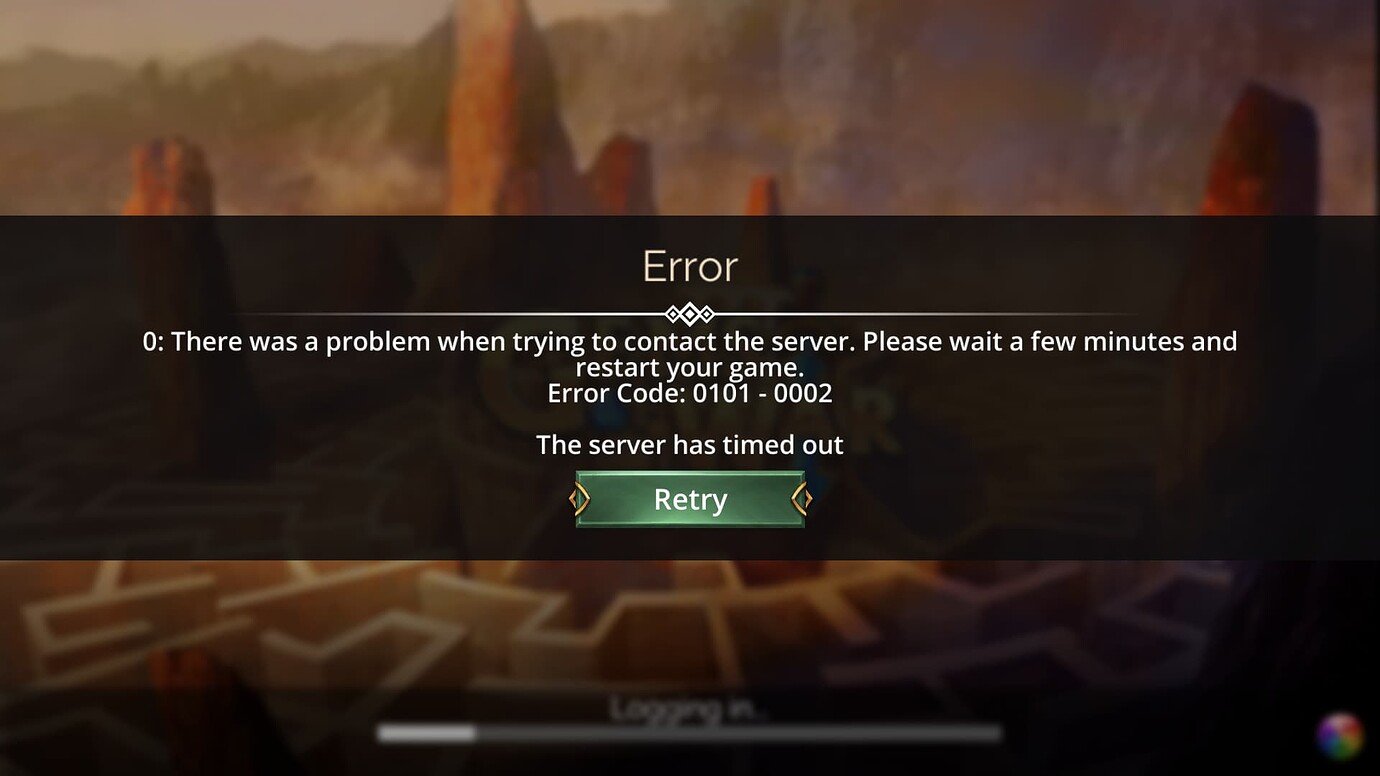
Common Causes of Login Timeouts
Before we jump into solutions, it's crucial to understand what causes login timeout issues in games, especially within the Southeast Asian context. Here are some common culprits:
- Unstable Internet Connections: One of the leading causes of login timeouts is poor network stability. Many gamers in Malaysia rely on various internet service providers, and inconsistent connectivity can lead to frustrating delays.
- Server Overloads: During peak gaming hours, game servers can become overloaded, leading to login timeouts. This is particularly common in popular games that attract a large number of players simultaneously.
- Firewall and Antivirus Settings: Sometimes, your firewall or antivirus software may mistakenly block the game from accessing the internet, resulting in a login timeout.
- Outdated Game Versions: Running an outdated version of a game can also cause compatibility issues, leading to login problems.
- Geographic Restrictions: Certain games may have region-specific servers that can affect your ability to log in if your connection is not optimized for those servers.
Understanding these factors can help you pinpoint the problem and take appropriate action. Now, let's explore how to troubleshoot these issues effectively.
Steps to Troubleshoot
When faced with a login timeout, there are several practical steps you can take to troubleshoot the issue:
- Check Server Status: Before anything else, check if the game's servers are online. Developers often post updates on their official social media pages or websites.
- Reset Your Internet Connection: Sometimes, a simple reset of your modem or router can work wonders. Unplug the device, wait for about 30 seconds, then plug it back in. This can help refresh your connection.
- Adjust Network Settings: Navigate to your network settings and consider switching from Wi-Fi to a wired connection if possible. Ethernet connections are generally more stable.
- Disable Firewall/Antivirus Temporarily: If you suspect that your security software might be causing the issue, temporarily disable it to see if it resolves the login timeout. Just remember to reactivate it afterward!
- Reinstall the Game: If all else fails, uninstalling and reinstalling the game can often resolve underlying issues related to corrupted files.
Implementing these troubleshooting steps can significantly reduce the frustration of login timeouts, allowing you to focus on what matters most—gaming!
Improving Your Connection
A stable and fast internet connection is crucial for a smooth gaming experience. Here are some tips to enhance your network performance:
- Use a Wired Connection: As mentioned earlier, using an Ethernet cable instead of Wi-Fi can greatly improve connection stability.
- Optimize Router Placement: If you must use Wi-Fi, ensure your router is positioned in an optimal location—ideally, in the center of your home and elevated to avoid obstructions.
- Limit Bandwidth Usage: Reduce the number of devices connected to your network while gaming. Streaming videos or downloading large files can consume bandwidth, leading to a lag in your gaming connection.
- Change DNS Servers: Switching to a faster DNS server, such as Google Public DNS or Cloudflare, can improve loading times and reduce latency.
- Contact Your ISP: If you consistently experience connectivity issues, it may be worth contacting your Internet Service Provider to discuss upgrading your plan or troubleshooting your connection.
By taking these steps, you can significantly reduce the chances of encountering login timeout issues, ensuring a seamless gaming experience.
User Experiences
To provide a more personal touch, let's hear from fellow Malaysian gamers who have faced and overcome similar login timeout issues:
Aiman, a Dota 2 enthusiast from Kuala Lumpur: "I used to face constant login timeout issues during peak hours. After checking the server status and switching to a wired connection, my gaming experience improved drastically. I can finally enjoy my games without interruptions!"
Sarah, a frequent Call of Duty player: "I was frustrated with how often I was getting timed out. I realized it was my antivirus blocking the game. Once I adjusted the settings, everything worked perfectly. It's all about knowing how to troubleshoot!"
Ravi, an avid League of Legends player: "I thought my internet was terrible, but after optimizing my router placement and limiting other devices, I was able to log in without issues. It's amazing how simple changes can make a big difference!"
These experiences highlight the importance of understanding login timeout issues and taking proactive measures. As you navigate the gaming landscape in 2026, remember that you're not alone in facing these challenges. The gaming community thrives on sharing solutions and supporting one another.
FAQ
What causes login timeout issues in games?
Login timeout issues can arise from various factors, including unstable internet connections, server overloads, firewall settings, outdated game versions, and geographic restrictions. Understanding these causes can help you troubleshoot effectively.
How can I fix frequent game timeouts?
To fix frequent game timeouts, you can check the server status, reset your internet connection, adjust your network settings, temporarily disable firewall or antivirus software, or even reinstall the game if necessary. Improving your connection quality also plays a significant role in reducing these issues.
In conclusion, navigating the world of online gaming can present challenges, but with the right knowledge and tools, you can overcome login timeout issues. By understanding common causes, implementing troubleshooting steps, and enhancing your connection, you can enjoy the immersive experiences that gaming has to offer.