Introduction
As the Malaysian gaming community continues to grow, the importance of password security cannot be overstated. Many players invest hours into their favorite games, building their accounts and progress. However, the sudden need to reset your game login password can be a daunting experience. Whether you’ve forgotten your password or suspect unauthorized access to your account, knowing how to reset it securely is essential for safeguarding your gaming experience.
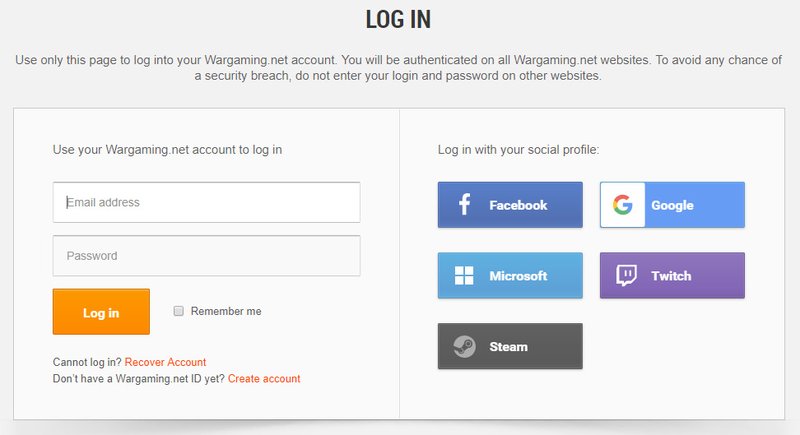
Step-by-Step Instructions
Resetting your game login password can vary slightly depending on the platform you are using. Here’s a detailed guide on how to navigate the password reset process across different gaming platforms.
Resetting via Email
Most gaming platforms allow you to reset your password through your registered email. Here's how:
- Visit the official website of your gaming platform or launch the game.
- Click on the 'Forgot Password?' link, typically found on the login page.
- Enter the email address associated with your game account.
- Check your email inbox for a password reset link. Be sure to also check your spam or junk folder if you don't see it.
- Click on the link and follow the instructions to create a new password.
As you can see, this method is straightforward and typically processed instantly, allowing you to get back into your game quickly.
Using Mobile Devices
If you prefer gaming on your mobile device, you can also reset your password through the game app. Here’s how to do it:
- Open the game app on your mobile device.
- Tap on the 'Login' button, then look for the 'Forgot Password?' option.
- Enter your game account email or username.
- Check your email for the password reset instructions.
- Follow the link provided in the email to set a new password.
This method is particularly convenient for gamers on the go, ensuring you can recover your account without needing to access a computer.
Common Issues
While the password reset process is generally smooth, users occasionally encounter challenges. Here are some common issues you might face and how to resolve them:
- Email Recovery Problems: Sometimes, users report not receiving the password reset email. Make sure to check your spam folder and ensure that the email you entered is correct. If you still don't receive it, try using another email address associated with your account.
- Expired Links: Reset links often have a time limit. If the link has expired, you’ll need to initiate the reset process again.
- Account Lockouts: If you’ve attempted multiple incorrect passwords, some platforms may temporarily lock your account. In such cases, wait a few minutes before trying again or contact customer support for assistance.
FAQs
What should I do if I can't reset my password?
If you're unable to reset your password, follow these steps:
- Double-check that you’re using the correct email address associated with your game account.
- Check your spam folder for the reset email, as it may have been filtered there.
- Try to reset your password again after a short wait, in case of temporary server issues.
- If all else fails, reach out to the gaming platform’s customer support for help. They can assist you with account recovery and troubleshooting.
How long does it take to reset my game password?
Generally, password resets are processed instantly. However, if you encounter delays, it may be due to a high volume of requests or technical issues on the gaming platform’s side. If your reset link doesn’t arrive within a few minutes, try checking your email settings or contacting support for further assistance.
Conclusion
Resetting your game login password in 2026 doesn’t have to be a stressful experience. By following the steps outlined in this guide, you can quickly regain access to your game account and continue your gaming adventures without interruption. Remember, maintaining strong password security is crucial in today’s gaming landscape. Always use unique passwords and enable two-factor authentication when available to protect your game account from unauthorized access. Happy gaming!