Introduction
In the vibrant gaming community of Malaysia, having a stable and fast internet connection is crucial for an optimal gaming experience. As online gaming continues to grow in popularity, the need to optimize internet for gaming in Malaysia has become more critical than ever. Whether you're battling it out in a fierce multiplayer match or exploring vast virtual worlds, a well-optimized internet connection can make the difference between victory and defeat. In this article, we will explore the best internet service providers (ISPs) for gaming in Malaysia, methods to optimize your home network, and solutions for common gaming issues.
Best ISPs for Gaming
Choosing the right ISP is paramount for serious gamers. In 2026, several ISPs stand out in Malaysia for their exceptional offerings tailored to gamers:
- TM Unifi: Known for its robust fiber optic network, TM Unifi offers speeds that can exceed 1 Gbps, ensuring minimal latency and high reliability. Their gaming-specific packages are designed to reduce ping times, making them a top choice for competitive gamers.
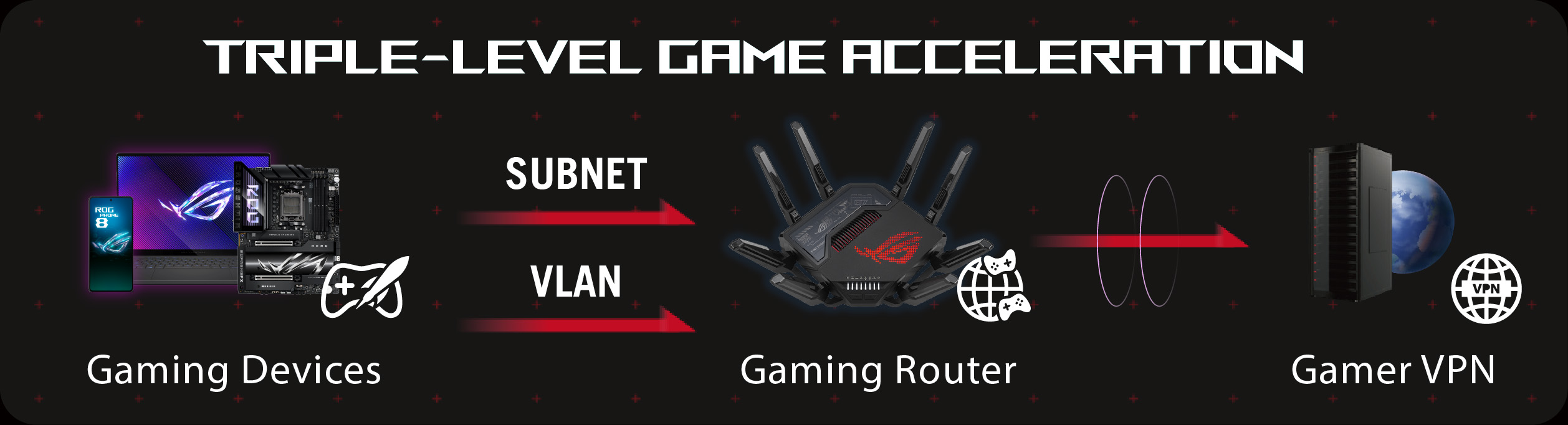
- Maxis: Maxis provides a variety of broadband plans, including fiber options with speeds of up to 800 Mbps. Their gaming router options come equipped with features aimed at reducing lag and improving overall gaming performance.
- Celcom: With a growing focus on fiber internet, Celcom offers competitive packages that promise stable connections ideal for gaming. Their 4G LTE services are also a great option for mobile gaming enthusiasts.
- Digi: Digi is known for its affordable plans and decent speeds, particularly for mobile gaming. Their 5G services are gaining traction, providing faster internet speeds that enhance the gaming experience.
Optimizing Your Home Network
Once you've selected the right ISP, the next step is to optimize your home network. Here are some expert tips to enhance your gaming experience:
- Use a Wired Connection: Whenever possible, connect your gaming device directly to the router using an Ethernet cable. This reduces latency and offers a more stable connection than Wi-Fi.
- Quality of Service (QoS) Settings: Many gaming routers come with QoS settings that prioritize gaming traffic over other types of internet usage. This ensures that your gaming experience remains smooth, even when other devices are using bandwidth.
- Router Placement: Position your router in a central location within your home to ensure even coverage. Avoid placing it near walls or obstructions that could block the signal.
- Update Firmware: Regularly check and update your router’s firmware. Manufacturers often release updates to improve performance and security.
- Disable Background Applications: Close any applications that might be using bandwidth while you game. This includes streaming services, downloads, and cloud backups.

Troubleshooting Common Issues
Even with the best setup, gamers often face challenges such as lag and disconnections. Here are some common issues and their solutions:
- Lag: If you experience lag during gameplay, check your internet speed. A minimum of 25 Mbps is recommended for smooth gaming. You can also use a wired connection to minimize latency.
- Disconnections: Frequent disconnections can be caused by network interference. Make sure your router is updated and consider changing the Wi-Fi channel to reduce interference from neighboring networks.
- High Ping: Ping refers to the response time of your connection. If your ping is consistently high, try connecting to a server closer to your location or optimizing your network settings as mentioned earlier.
- Packet Loss: This can lead to glitches in gameplay. To troubleshoot, check your cables for damage, ensure your router is functioning correctly, and consider rebooting your modem and router.
Conclusion
Optimizing your internet connection for gaming in Malaysia is not just about having the fastest internet speed; it involves a comprehensive approach that includes selecting the right ISP, optimizing your home network, and being prepared to troubleshoot any potential issues. By implementing the tips discussed in this article, you can significantly enhance your gaming experience and enjoy smoother, lag-free gameplay. Remember that the gaming landscape is ever-evolving, and staying updated with the latest technology and strategies will help you remain competitive in the exciting world of online gaming.

FAQ
- What is the best internet speed for gaming? A good internet speed for gaming is at least 25 Mbps. However, speeds of 50 Mbps or higher are recommended for a smoother experience, especially in competitive gaming.
- How can I reduce lag while gaming? To reduce lag while gaming, use a wired connection, optimize your router settings, close background applications, and consider selecting a gaming-friendly ISP like TM Unifi or Maxis.